applicationPersonal projectCreator
PulseScan C++
C++ cross-platform TCP/UDP/ICMP port scanner targeting simple network reporting and diagnostics.
Jan 2026
Highlights
- Built a coroutine-driven TCP connect scanner on top of Boost.Asio with a CLI11-powered interface.
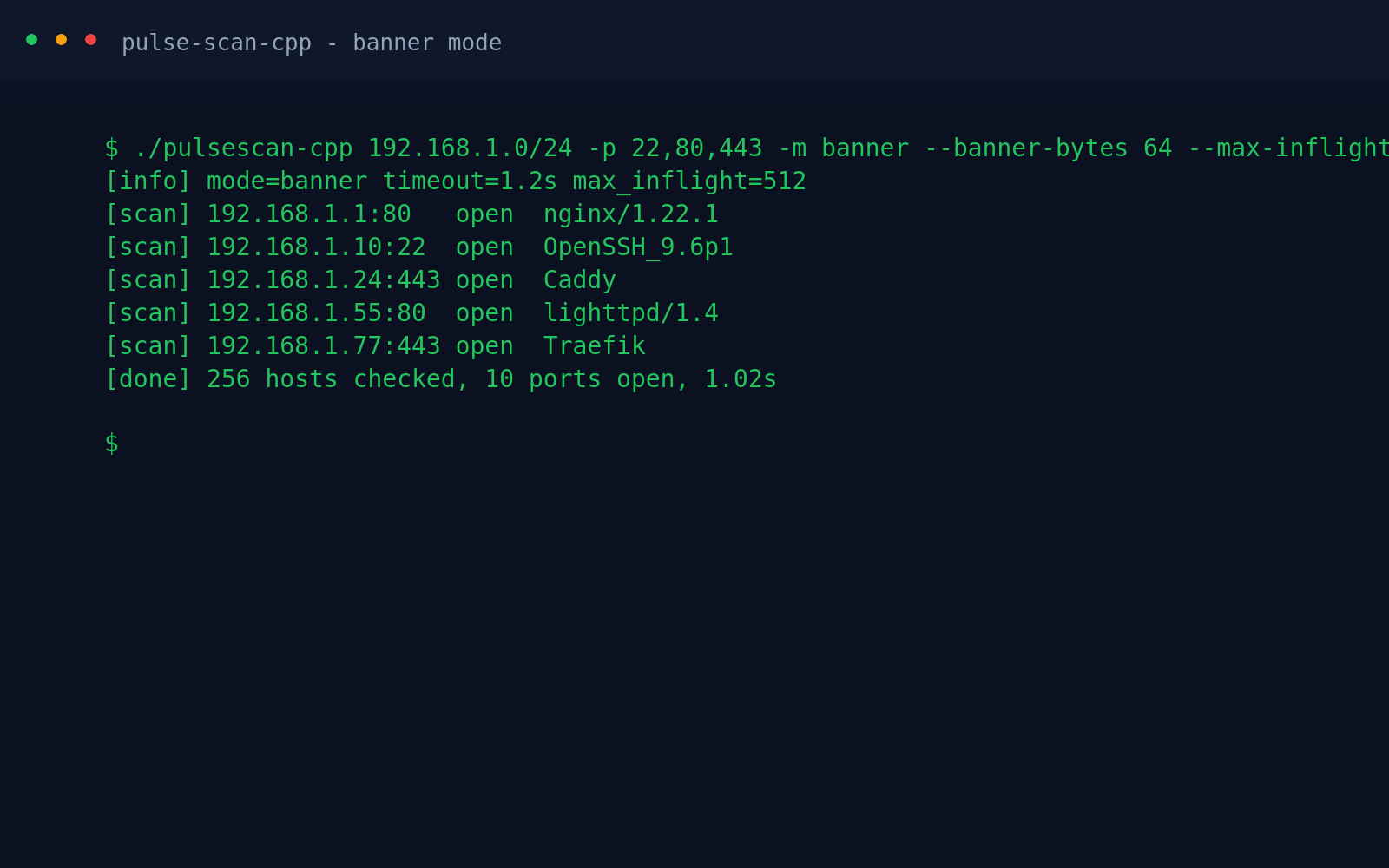
- Added banner reads and UDP probe modes without raw sockets, keeping the tool portable across platforms.
- Automated dependency management via vcpkg manifests and a CMake build workflow.
Stack
C++20Boost.AsioCLI11vcpkgCMakeTCPUDPICMPPort ScannerNetworkingCoroutines
Gallery
README
PulseScan C++
Minimal TCP connect scanner using C++20 coroutines and Boost.Asio, with CLI11 for argument parsing. Dependencies are managed via vcpkg.
Legal and ethical use
This tool is for authorized testing only. Do not scan systems or networks without explicit permission. Unauthorized use or exploitation is prohibited.
Build
- Bootstrap vcpkg (if needed) and integrate the toolchain:
git clone https://github.com/microsoft/vcpkg.git
./vcpkg/bootstrap-vcpkg.sh
- Configure and build with CMake (vcpkg manifests are enabled by default):
cmake -B build -S . -DCMAKE_TOOLCHAIN_FILE=/path/to/vcpkg/scripts/buildsystems/vcpkg.cmake
cmake --build build
Run
Example: scan common web ports on localhost with a 1.5s timeout and 500 concurrent attempts:
./build/pulsescan-cpp localhost -p 80,443,8000-8005 -t 1.5 --max-inflight 500
Modes (no raw sockets required)
-m connect(default): TCP connect scan.-m banner: TCP connect plus a short banner read (--banner-timeout,--banner-bytes).-m udp: UDP probe that sends an empty datagram and waits for any reply/ICMP error. No reply is reported asopen|filtered.
Notes / next steps
- Consider JSON output and per-host/port rate caps for larger sweeps.